 Sipsway
Drink water.
Watch it rise.
Sipsway turns your daily water into living water on your screen. Tilt your phone and it sloshes. Tap once to log a glass and watch it fill.

A water tracker you will actually enjoy opening
Simple enough to use in one second. Beautiful enough that you want to.
Living water
Your day as real water on screen. Tilt your phone and it sloshes, touch it and it ripples.
One tap logging
Add a glass from the app, a widget, a reminder, the app icon or Quick Settings.
Tea, coffee and more
Log any drink. Stats show how many teas or coffees you have a day.
Kind reminders
Only between your wake and bed times, and they stop once you reach your goal.
Stats and streaks
See your week at a glance, keep a streak going, and celebrate goal days.
Badges for real habits
25 badges, from your first bucket of water to a plunge pool. Some take years.
Weekly recap
Every Monday morning: last week's total, your best day and your streak.
Backup you own
Sign in with Google to save a backup in a hidden folder in your own Drive.
Private by design
No ads, no selling data, and it works fully offline.
Three steps, then it runs itself
Set your goal
Tell Sipsway your weight and how active you are. It suggests a daily goal you can change any time.
Log in one tap
Add a glass from the app, the widget or a reminder. Edit or undo just as fast.
Watch it rise
Your water fills up through the day. Hit your goal, keep your streak, and feel good about it.
How much water do you need?
A simple formula for a good starting goal. Sipsway suggests yours from your weight and activity.
For healthy adults. If you have a health condition or are pregnant, ask your doctor.
13 glasses of 200 ml
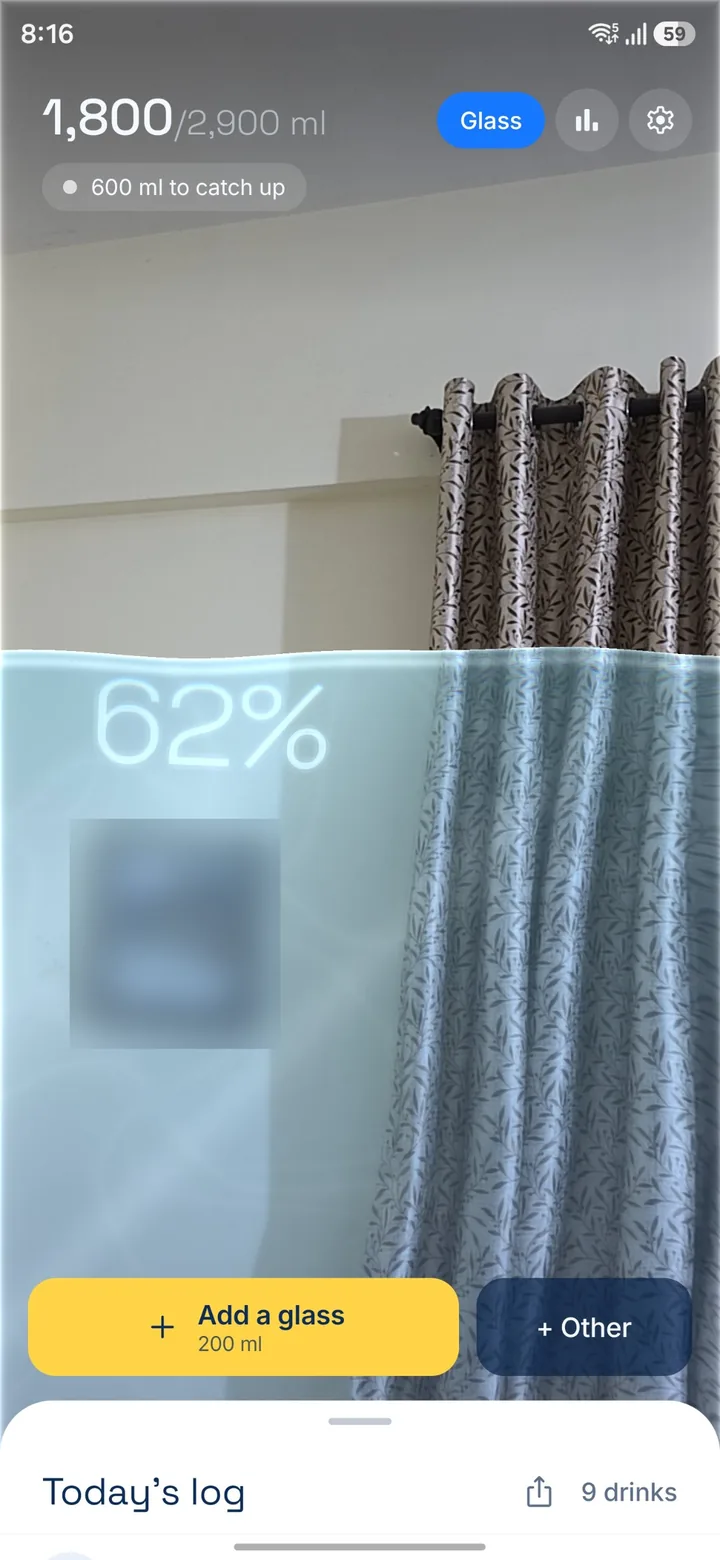
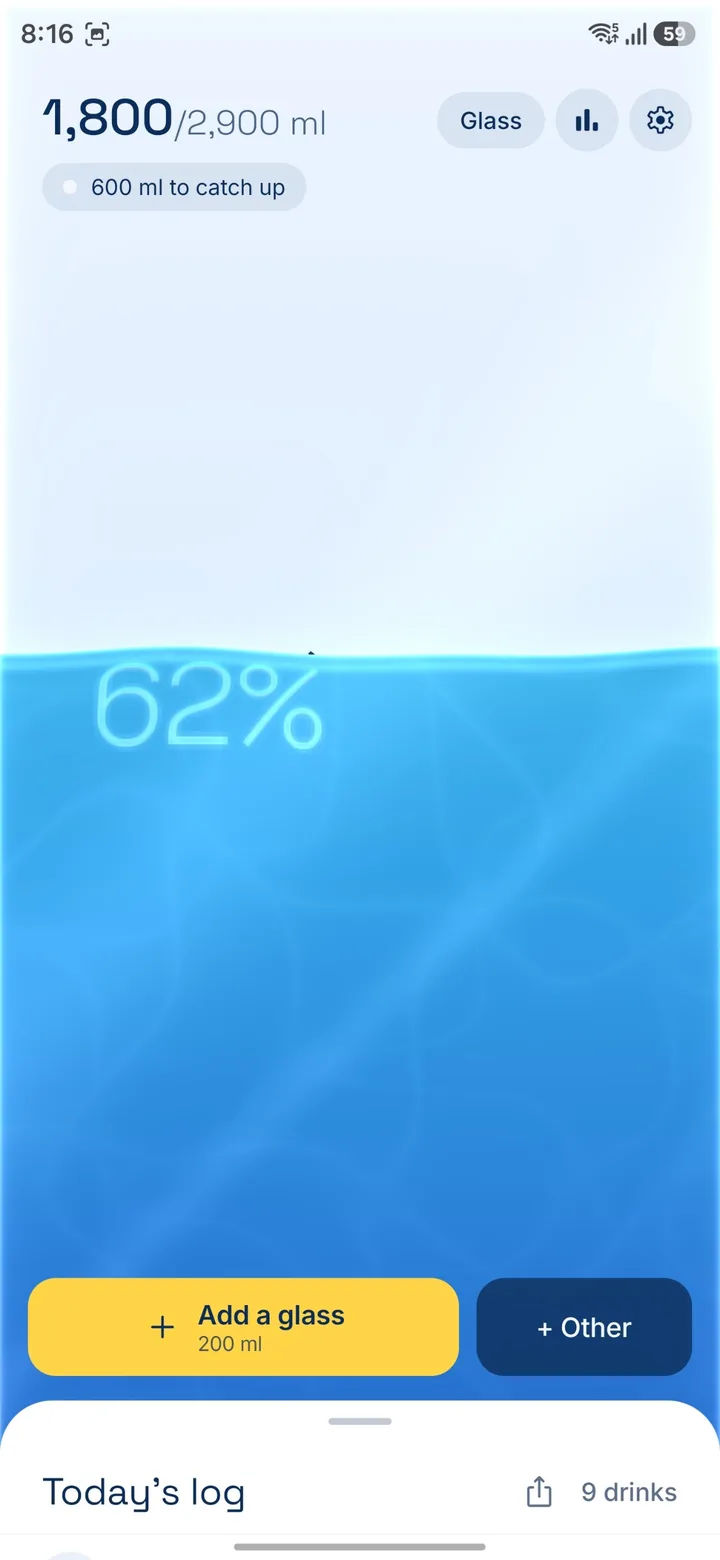
Glass mode: see the world through your water
Turn on Glass mode and your back camera appears behind the water, like looking through a real glass. Nothing is recorded or saved. Free users get one minute a day.
Drag the slider to see the difference.
Five water colors
Ocean is free. Lagoon, Sunset, Matcha and Night come with Pro.
Free forever. Pro if you want more.
The free app has no ads and no limits on logging. Pro adds delight and depth, never basic needs.
Free
- Living water, one-tap logging, undo
- Kind reminders with quick add
- Home screen widgets
- Last 7 days, streaks, celebrations
- Badges and a weekly recap
- Tea, coffee and other drinks
- Backup to your own Google Drive
- Glass mode, 1 minute a day
Sipsway Pro
- Unlimited Glass mode
- 4 more water color themes
- Month and year history, insights
- Add drinks to any past day
- Smart reminder timing
- Export your log as CSV
Coming soon. Prices in other countries are set by Google Play.
Your water, your data
We built Sipsway so we never need to see your data.
On your phone
Your log lives on your phone and works fully offline.
Backup you own
Optional backup goes to a hidden Sipsway folder in your own Google Drive. We have no server.
No ads
No ads, no selling data, ever. Delete everything any time.
Questions, answered
Is Sipsway free?
Yes. Logging water, reminders, widgets, the 7-day history, streaks and backup are free for everyone, with no ads. Sipsway Pro is optional and adds extras like unlimited Glass mode, water color themes and full history.
Is Sipsway Pro a subscription?
No. You pay once (₹399 in India, $5.99 in the US) and Pro is yours for good, on every phone signed in to the same Google Play account. Nothing renews and there is nothing to cancel.
How much water should I drink a day?
It depends on your body, how active you are and the weather. Sipsway suggests a daily goal from your weight and activity, and you can change it any time. If you have a health condition, ask your doctor what is right for you.
Do tea and coffee count toward my goal?
Yes, by default. In normal amounts, tea, coffee, milk and juice hydrate you almost as well as water. If you want a water-only goal, turn off Count other drinks in Settings. Stats still show how many cups you have a day.
Does Sipsway work offline?
Yes. Everything works without internet. If you turn on backup, it catches up the next time you are online.
Where is my data stored?
On your phone. If you sign in with Google, a backup is saved in a hidden Sipsway folder in your own Google Drive. We do not run a server, so we cannot see your data.
Do I need an account?
No. You can skip sign-in and use every free feature. Signing in with Google only turns on backup, so your log follows you to a new phone.
Will the reminders annoy me?
We work hard so they do not. Reminders only come between your wake and bed times, stop once you reach your goal, and skip if you just logged a drink. You choose how often.
Does Glass mode record my camera?
No. Glass mode shows your back camera behind the water, live, on your phone only. Nothing is recorded, saved or sent anywhere.
Does Sipsway work with my smartwatch?
There is no Sipsway watch app yet. If you turn on Health Connect in Sipsway, your water is added to Android's health data, and watch apps that read water from Health Connect can show it. Some watch apps do not read Health Connect yet.
Can I log tea, coffee or other drinks?
Yes. Tap + Other on Home and pick tea, coffee, milk, juice or anything else. Each drink shows as its own colored bubble if you like, and Stats count your cups a day.
How do I delete my data?
In the app, open Settings, then Health, data and support, then Data and privacy, then Delete account. It deletes your backup from Google Drive and everything on your phone. You can also follow the steps on our delete account page.
When can I download Sipsway?
Sipsway is coming soon to Google Play for Android phones. An iPhone version is not planned yet.
Drink smarter
How much water should I drink a day? A simple guide
How much water you need each day depends on your body, activity and the weather. Here is a simple, honest guide with real numbers and easy ways to reach your goal.
Read articleCalculatorWater intake calculator by weight: find your daily goal
Use your body weight and activity to calculate how much water to drink each day. Free calculator with a simple formula and examples.
Read articleAppsWhat makes a good water reminder app for Android
Looking for a water reminder app for Android? Here is what actually helps you drink more, what to avoid, and how Sipsway was designed around it.
Read article